


Radxa Zero 3W Powers Compact IP-KVM with BIOS OCR
Aug 17, 2026 — by Giorgio Mendoza 754 views
Crowd Supply recently featured the USBridge-KVM 2.0, a compact IP-KVM designed for remote system administration, debugging, and bare-metal recovery. The device provides HDMI video capture, USB keyboard and mouse emulation, virtual media, hardware power control, BIOS text recognition, and an integrated display while operating independently of the target computer’s operating system.
The USBridge-KVM 2.0 is built around the Radxa Zero 3W, which uses the Rockchip RK3566 SoC with four Arm Cortex-A55 processor cores. The system is available with 1GB or 2GB of LPDDR4X memory, with part of the memory used as a cache for remotely mounted virtual media.
— ADVERTISEMENT —
Storage is provided through a microSD card, which is also used for the device’s Btrfs-based snapshot functionality. A Read-Write Overlay mode redirects changes to a separate layer while keeping the original source image unchanged.
USBridge-KVM 2.0 peripherals
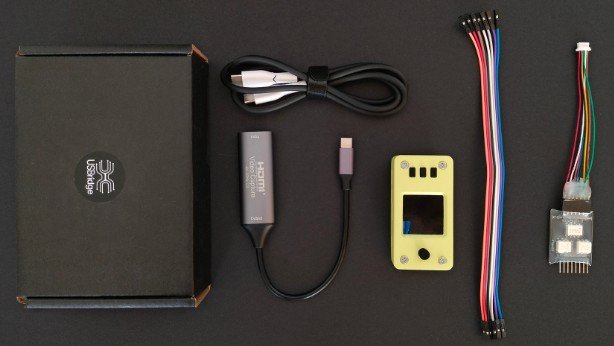
According to the product page, video input is handled by an external UVC HDMI capture adapter, with support listed at up to 1080p at 45 FPS or 720p at 60 FPS. However, the project’s GitHub documentation lists the capture specification as 1080p at 30 FPS or 720p at 60 FPS. Video is streamed through a Sunshine/Moonlight-based pipeline, with the developer reporting latency of about 25–50ms at 720p and 50–75ms at 1080p.
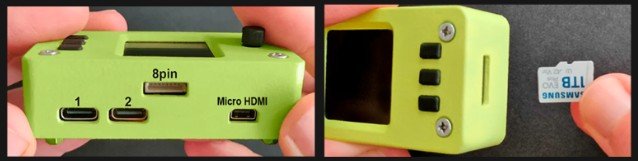
The hardware includes two USB Type-C ports, with one operating in OTG mode for keyboard/mouse emulation, virtual storage, and power, while the second acts as a host port for the capture adapter. Other hardware includes Wi-Fi 6, micro HDMI output, an integrated 240 × 240 IPS display, CNC-machined aluminum heatsinks with active cooling, and an SLS-printed PA12 nylon enclosure measuring approximately 70 × 36 × 26mm.
USBridge-KVM 2.0 power module
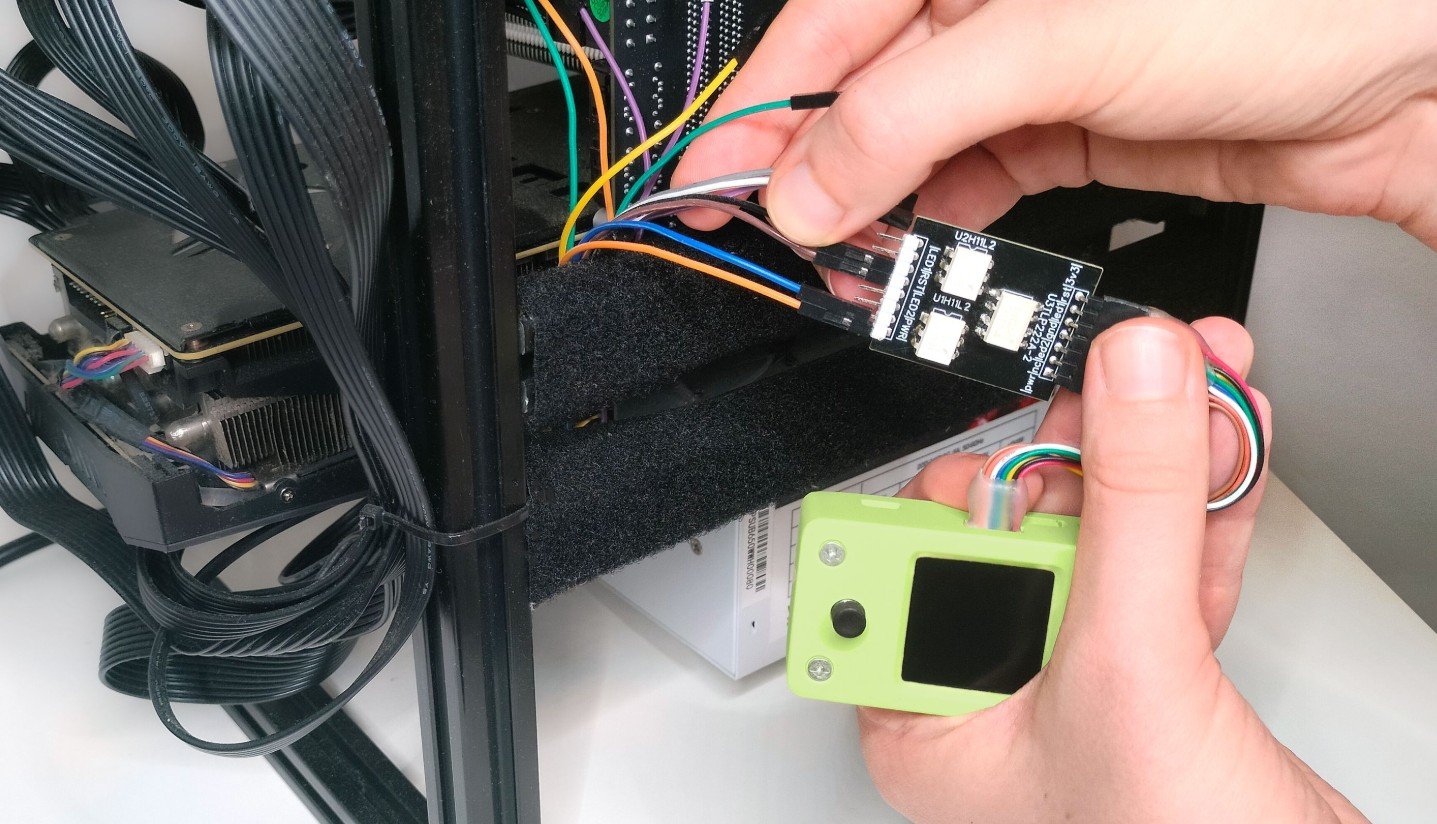
A separate power-management module connects to the target motherboard’s front-panel headers and provides remote power and reset control. It can also monitor the motherboard’s power and HDD activity LED signals, allowing basic hardware status to remain visible even when the operating system or video output is unavailable.
USBridge-KVM 2.0 BIOS-in-Terminal
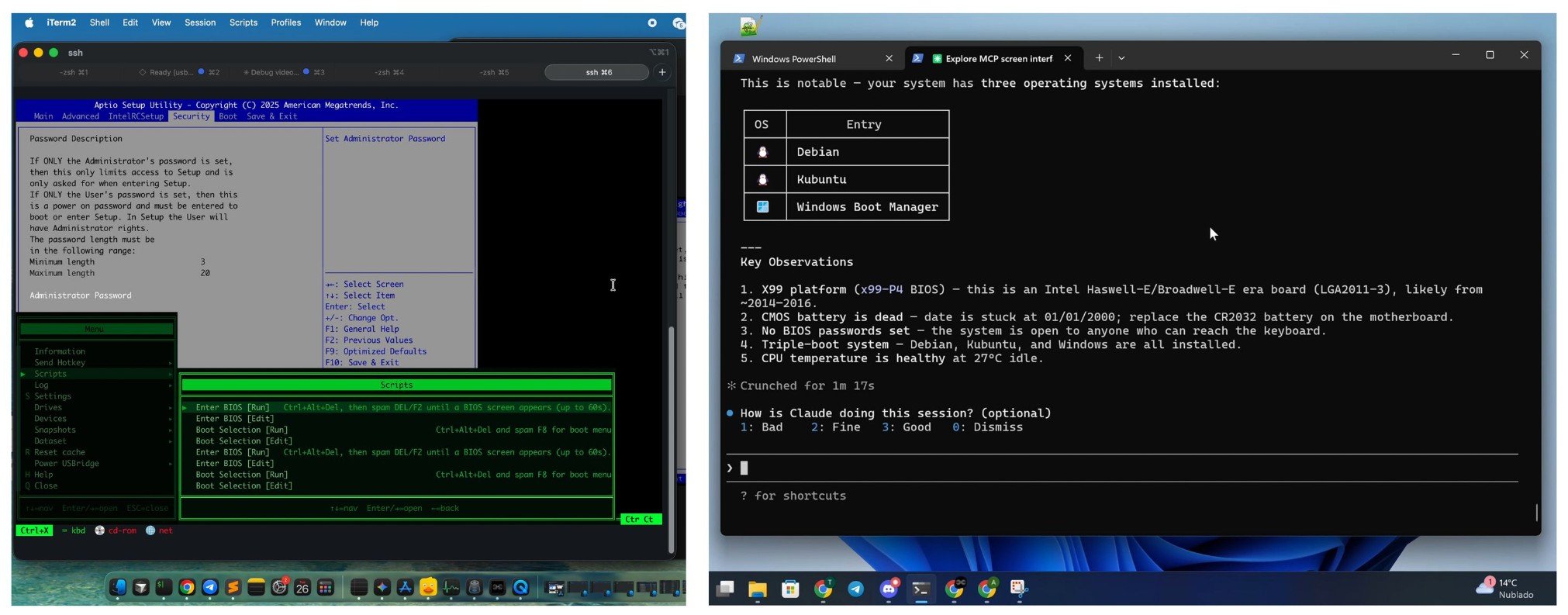
On the software side, one of the platform’s more distinctive features is BIOS-in-Terminal, which performs offline OCR on incoming video and converts text-based BIOS and pre-OS screens into selectable terminal output over SSH. The current implementation supports text-based BIOS interfaces, while graphical UEFI screens are not yet recognized.
The recognized text can also be used for automation through an integrated Starlark scripting environment. Scripts can react to specific strings before sending keyboard commands, while Model Context Protocol support allows compatible AI agents to access the recognized BIOS interface for tasks such as navigation, diagnostics, and system auditing.
Virtual media support allows ISO, VDI, and VMDK images stored on another computer to appear to the target system as attached storage. Combined with the Btrfs-based overlay and snapshot system, this allows users to boot installation or recovery images while keeping the original image unchanged.
USBridge-KVM 2.0 package contents
Remote management is handled through USBridge-Remote, which combines KVM controls, video streaming, virtual media, snapshots, and OS-level remote desktop functionality in a common interface. Client applications are provided for Windows, macOS, Linux, Android, and iOS, while Tailscale integration supports remote access across networks.
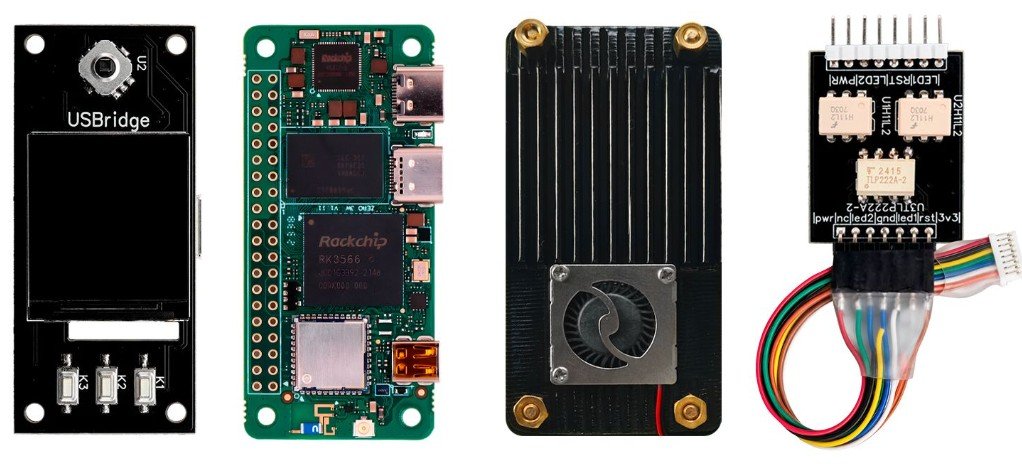
USBridge-KVM 2.0 internal view
Project documentation is available through GitHub, including setup instructions for the KVM, BIOS-in-Terminal, snapshots, and power-management hardware. Separate repositories also provide the USBridge-Remote source code and hardware resources, including schematics, PCB design files, BOM information, and enclosure models.
Further Information

Please comment here...